5 別売のドライブを、取っ手が開いた状態で空のスロットに差し込みます。
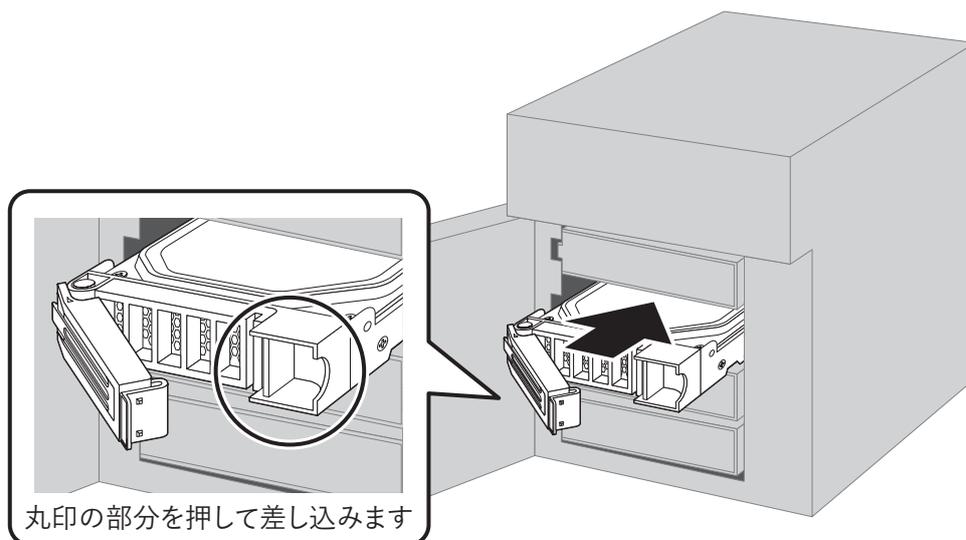
丸印の部分を押して差し込みます
Diagram showing the insertion of a drive into a slot. A circular inset shows a close-up of the drive's handle being pushed into the slot, with the text '丸印の部分を押して差し込みます' (Push the circled part to insert).
6 カチンと音がするまで取っ手を押して閉じます。
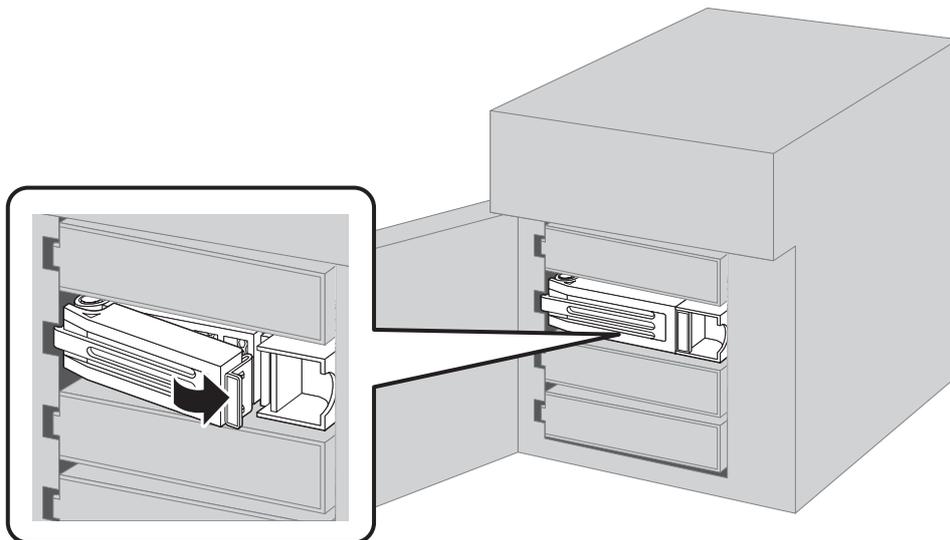
Diagram showing the drive handle being pushed closed. A circular inset shows the handle being pushed into the closed position, indicated by a black arrow pointing right, with the text 'カチンと音がするまで取っ手を押して閉じます' (Push the handle until it clicks).
7 交換したドライブが認識されると、ステータスランプが赤色に点滅し「I31」が通知されます。