4 しきい値を任意の数字に変更し、[OK]をクリックします。
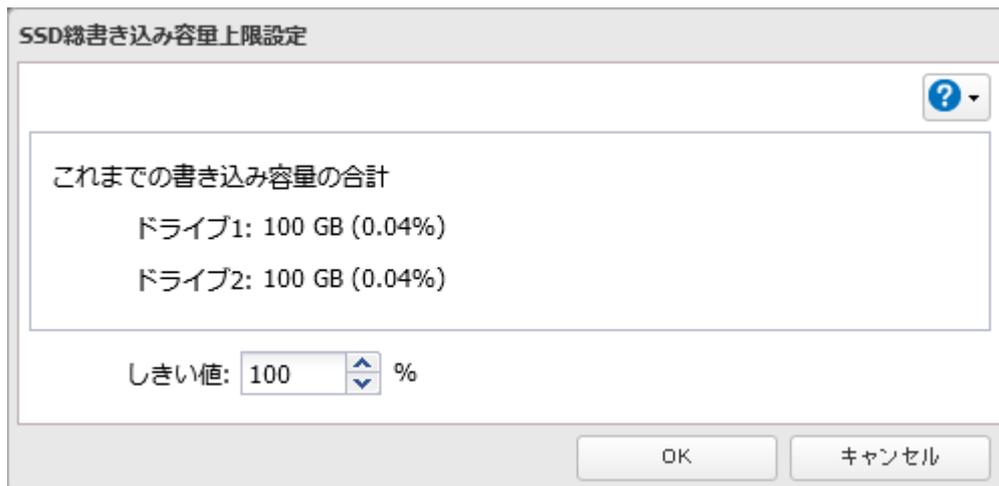
A dialog box titled "SSD総書き込み容量上限設定" (SSD Total Write Capacity Limit Setting). It contains a section for "これまでの書き込み容量の合計" (Total write capacity so far) showing "ドライブ1: 100 GB (0.04%)" and "ドライブ2: 100 GB (0.04%)". Below this is a "しきい値" (Threshold) input field set to "100 %". At the bottom are "OK" and "キャンセル" (Cancel) buttons.
以上で、SSDの総書き込み容量の上限を設定する手順は完了です。
S.M.A.R.T.で内蔵ドライブをチェックする
S.M.A.R.T.(Self-Monitoring, Analysis and Reporting Technology)で本製品内蔵のドライブをチェックし、故障の予測、早期発見できます。
S.M.A.R.T.を表示する
1 設定画面で[ストレージ]をクリックします。

A dark rectangular button with a white storage icon and the text "ストレージ" (Storage).
2 「ドライブ」の横にある設定アイコン(
 )をクリックします。

A horizontal row with a drive icon and the text "ドライブ" (Drive) on the left, and a gear icon on the right, all within a bordered area.