PDFファイルを作成する際にもバージョンの選択は重要な検討事項です。多くのPDF作成ツールでは、特定のバージョンをターゲットとして設定することが可能です。例えば、バージョン1.8に含まれる追加機能が本当に必要ですか?バージョン1.4を使用した場合、PDFは外観上同じに見えますか?これらの点を考慮することは、ファイルの互換性と効率性を高めるために重要です。
2026年現在、PDF 2.0 (ISO 32000-2:2020) が最新の公式標準です。新規プロジェクトではPDF 2.0への対応を検討することが推奨されます。ただし、既存の多くのPDFビューアやライブラリはPDF 1.7 (ISO 32000-1:2008) をベースとしているため、互換性を考慮したバージョン選択が引き続き重要です。
PDFオブジェクトの内部表示と解析はどうしたら可能ですか?
PDFオブジェクトの内部表示と解析はどうしたら可能ですか?
PDFファイルの開発や解析を行う際には、ファイルの内部構造を詳細に調べる必要がしばしばあります。PDFファイルは複雑なアスキーとバイナリの形式を採用しているため、通常のエディタでは適切に表示することができません。そのため、PDFのファイル構造を理解し、生データを解析できる専用ツールの使用が不可欠です。
PDFファイルのデータにテキストエディタで直接アクセスすることもできますが、以下のようにファイル構造がわからなくなり、非常にわかりにくくなります。
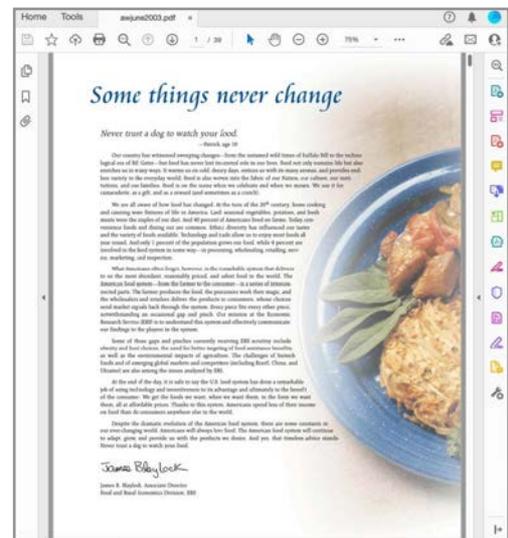
サンプルとして利用したPDF
A screenshot of a web browser displaying a National Geographic article. The article's title, 'Some things never change', is prominently displayed at the top. Below it, a sub-header reads, 'Never trust a dog to watch your food.' The article text discusses a dog named Kato who loves sandwiches. On the right side of the article, there is a photograph of a sandwich on a blue plate, garnished with lettuce. The browser's interface, including the address bar and various icons, is visible around the article content.
A screenshot of a web browser displaying a National Geographic article titled 'Some things never change' about a dog's love for a sandwich. The article text is on the left, and a photograph of a sandwich on a blue plate with lettuce is on the right. The browser's address bar shows 'nationalgeographic.com/animals/dog-sandwich-love/'.
PDFファイルをエディタで開き上記画像部分を表示