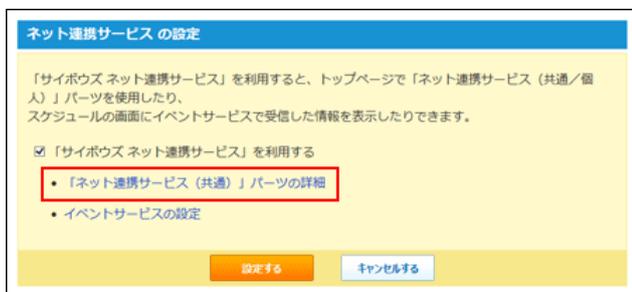
Screenshot of the 'Net Link Service Settings' dialog box. It contains a checkbox for 'Use Cybozu Net Link Service' and a link 'Net Link Service (Common) Part Details' which is highlighted with a red rectangle. There are 'Set' and 'Cancel' buttons at the bottom.
-
3. ネット連携サービス画面で、変更するコンテンツの
Image: edit icon
変更する をクリックします。 - 4. 手順3で選択したコンテンツの設定を変更します。
■ コンテンツの設定項目
| コンテンツ | 説明 |
|---|---|
| サイボウズからのお知らせ | パーツに表示するお知らせの件数をドロップダウンリストから選択します。 |
| 企業検索 |
パーツに検索欄を表示するか、リンクのみ表示するかを選択します。
例:路線検索で検索欄を表示する場合 |
| 路線検索 |
Image: Route search widget with 'Origin' and 'Destination' fields and a 'Search' button. |
| 地図検索 | 例:路線検索でリンクだけを表示する場合 |
| 郵便番号検索 |
Image: Postal code search widget with a 'Route search (provided by Jorudan)' button. |
| ニュース | パーツに表示するニュースの件数とニュースのカテゴリを選択します。 |
- 5. 変更する をクリックします。
- 6. 反映する をクリックします。
- 7. サイボウズ Officeへ をクリックします。
- 8. 「ネット連携サービスの設定」画面で、 設定する をクリックします。
コンテンツを削除する
「ネット連携サービス(共通)」パーツに設定しているコンテンツを削除します。
-
1. システム設定画面で、
Image: trash bin icon
ネット連携サービス をクリックします。
■ システム設定画面にアクセスする - 2. 「ネット連携サービス(共通)」パーツの詳細をクリックします。
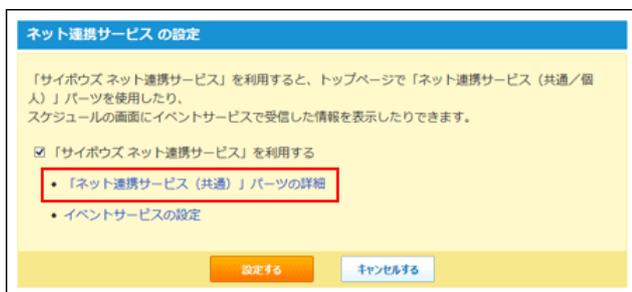
Screenshot of the 'Net Link Service Settings' dialog box, identical to the one at the top of the page, showing the 'Net Link Service (Common) Part Details' link highlighted with a red rectangle.
-
3. ネット連携サービス画面で、削除するコンテンツの
Image: trash bin icon
削除する をクリックします。 - 4. 確認画面で、 削除する をクリックします。
- 5. 反映する をクリックします。
- 6. サイボウズ Officeへ をクリックします。
- 7. 「ネット連携サービスの設定」画面で、 設定する をクリックします。