3 防塵フィルターを前面カバーから取り出して、掃除機でホコリを取り除きます。
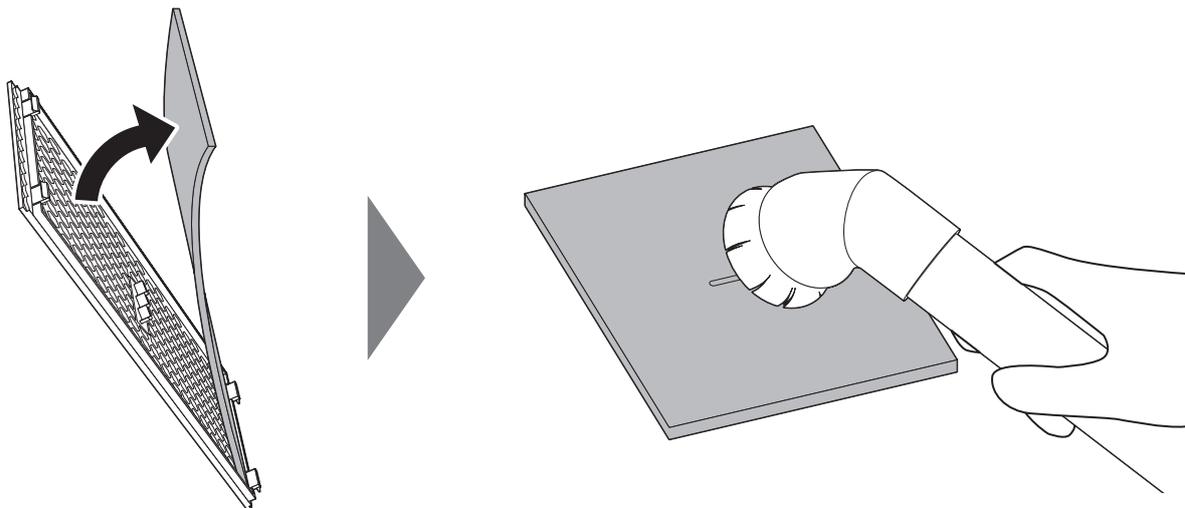
The diagram illustrates the process of removing and cleaning the dust filter. On the left, a hand is shown pulling the rectangular dust filter out from behind the front cover of the unit, indicated by a curved arrow. On the right, the removed filter is being cleaned with a vacuum cleaner nozzle, which is shown suctioning the surface of the filter.
4 ホコリを取り除いたら、防塵フィルターと前面カバーを元の位置に戻します。
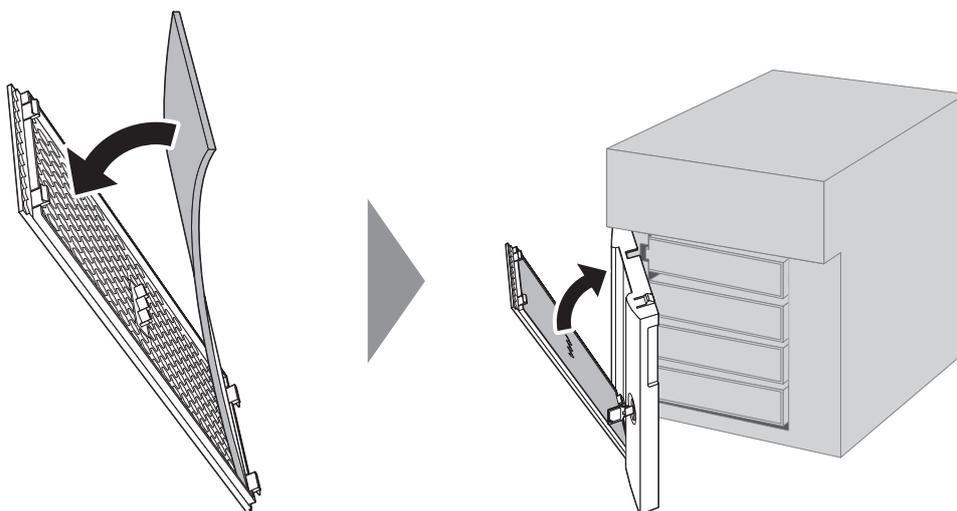
The diagram shows the reassembly of the unit. On the left, the dust filter is being pushed back into its slot behind the front cover, indicated by a curved arrow. On the right, the front cover is being pushed back into its original position on the unit, also indicated by a curved arrow.
5 前面カバーを閉じます。
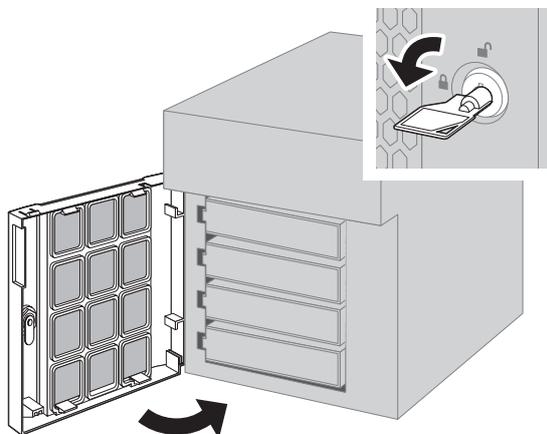
The diagram shows the final step of closing the front cover. On the left, the front cover is being pushed towards the unit. On the right, a close-up inset shows a hand turning the lock knob on the front cover to secure it, with a curved arrow indicating the direction of the turn.
以上で、防塵フィルターのお手入れは完了です。